How to Set Your Starting Rotation
Setting your volleyball starting rotation before the first serve is a two-minute step that makes every rotation report accurate for the rest of the match.
Why your volleyball starting rotation matters
Your volleyball starting rotation is the lineup you put on the court for the first serve: which player stands in each of the six positions, and who serves first. Volleyball Code uses that starting lineup to track every touch by position, so when you look at the rotation report after the match, "rotation 1" really is the six players you sent out first. Get this step right and every rotation stat lines up correctly. Skip it or guess, and the numbers point at the wrong players.
The good news: it takes about two minutes, and it is the last thing you do before the whistle. Here is the exact flow.
Step 1 - Finish your roster first
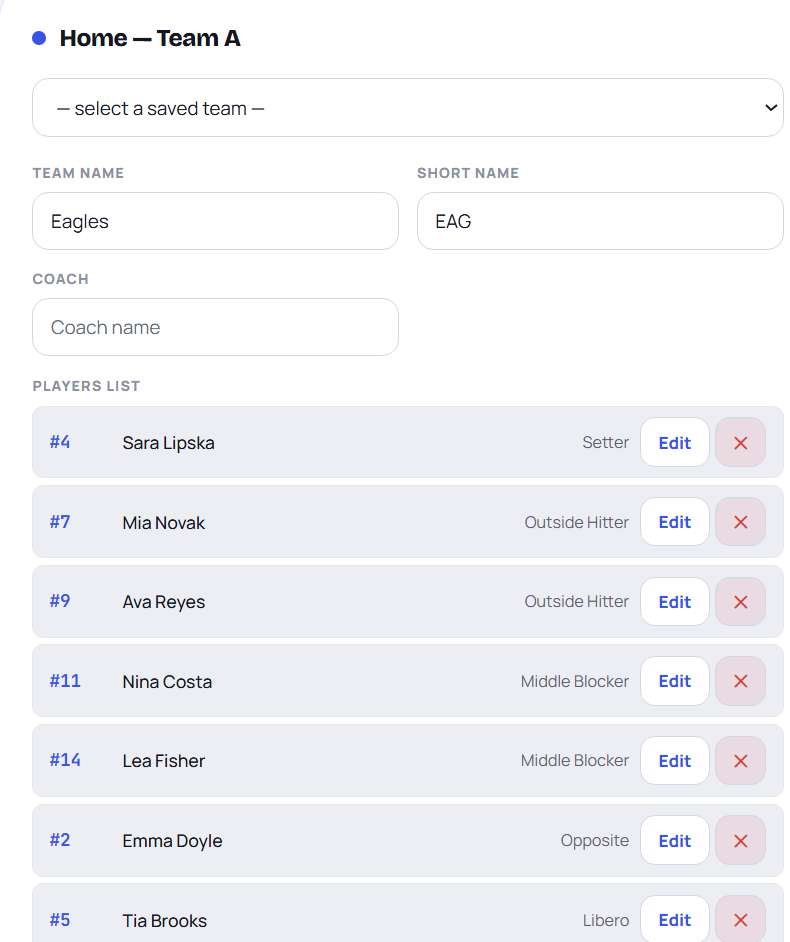
Rotation setup is Step 2 of the match wizard, so your roster has to exist before you can place anyone. If you have not built your teams yet, do that first: follow how to set up your team roster. You need at least six players per side with no duplicate jersey numbers, because those are the numbers you will drop into the six court positions.
Once both rosters are in, tap Next: Rotations. The subtitle changes to "starting rotations," and you land on the lineup screen for both teams.
Step 2 - Pick who serves first
At the top of the rotation step is a "first serve" choice: your team or the opponent. Set it to whoever won the coin toss and chose to serve. The app marks that team's Position 1 slot as "First Server" so you can see at a glance who steps back to the line. The receiving team's hint reads "Receives first." This is the only thing that decides who starts with the ball, so match it to what actually happens on court.

Step 3 - Fill the six court positions
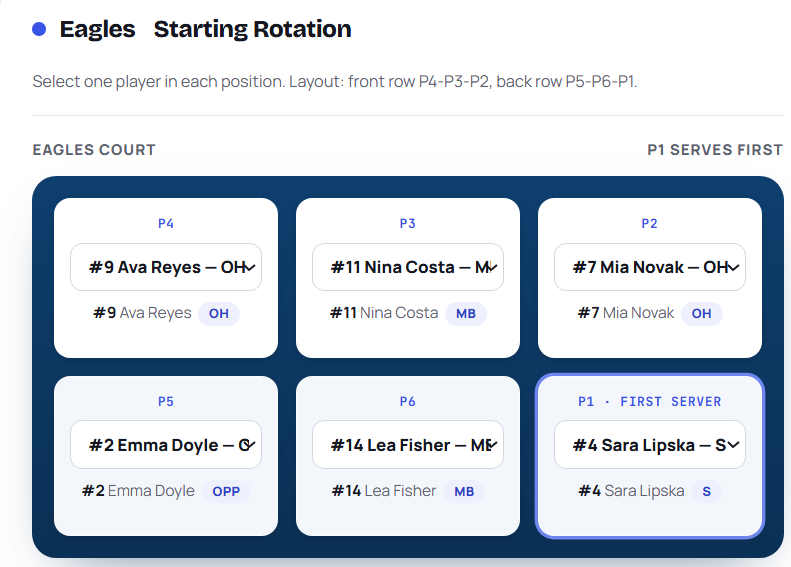
Each team has six dropdown slots, labeled P1 through P6. These are the standard volleyball lineup positions, and they map to the court exactly the way officials read them:
- P1 - back right, the serving position.
- P2 - front right.
- P3 - front middle.
- P4 - front left.
- P5 - back left.
- P6 - back middle.
Pick the jersey number that starts in each slot from the dropdown. As you choose, a small preview under each slot confirms the player name and position code, so you can double-check you have the right athlete before you commit. Fill all six for both teams. To set your rotation accurately, place players in the same spots they will physically stand for the first serve, not in numerical order.
Step 4 - Watch the libero warning
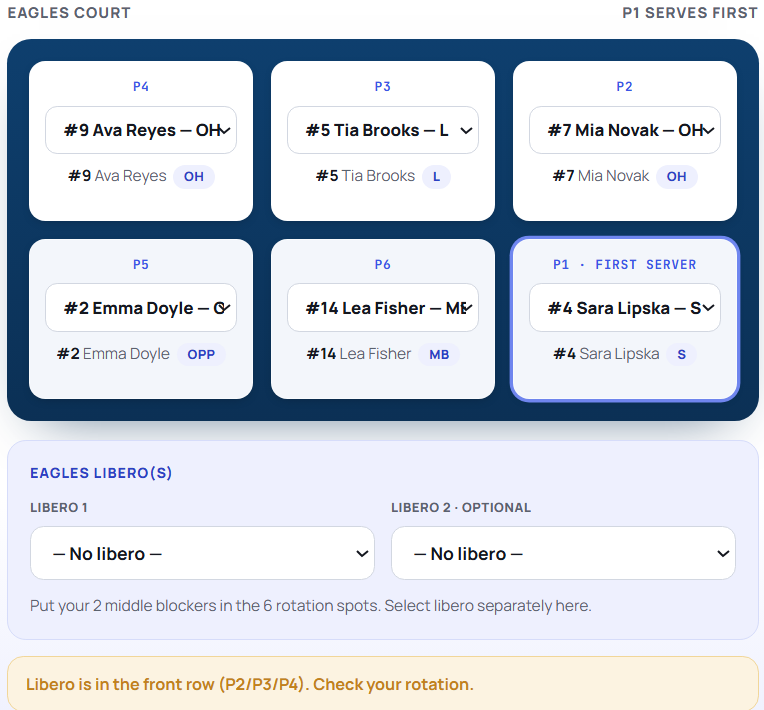
If you place a libero in a front-row slot (P2, P3, or P4), the app shows a warning. Liberos are back-row-only players, so a libero in the front row almost always means you put a number in the wrong spot. If you see that flag, fix the slot before moving on. You can also pick each team's libero from the libero selector so the app knows who your defensive specialist is.
Step 5 - Double-check, then start the match
Before you tap Start Match, glance over both lineups. The app enforces two rules and will stop you with a message if either is broken:
- Each starting rotation must have all six positions filled.
- Each of those six must be a different player. No number can appear twice.

When both lineups pass, tap Start Match. The app locks in your rotation, sets the score to 0-0, puts the first server on the line, and drops you straight into live coding. From here you record rallies by voice, and the rotation tracking runs itself in the background. If you want the theory behind the six positions and how teams rotate through them, read volleyball rotations explained. Otherwise, you are ready for the first serve: head back to the app and start your match.
Frequently asked questions
What do P1 through P6 mean on the rotation screen?
They are the six court positions. P1 is back right and serves, P2 to P4 are the front row (right, middle, left), and P5 and P6 are the rest of the back row. Place each starting player in the slot where they physically stand for the first serve.
Do I have to set who serves first?
Yes. The first-serve choice decides which team starts with the ball, and the app marks that team's P1 slot as the first server. Set it to match the coin toss.
What happens if I get the starting rotation wrong?
Your rotation report will attribute points to the wrong rotation. Nothing else breaks, but the per-rotation stats only make sense if the starting lineup matches what took the court. If you catch it early, restart the match setup and fix the slots.
Why is the app warning me about my libero?
You placed a libero in a front-row slot (P2, P3, or P4). Liberos play back row only, so that usually means a number landed in the wrong spot. Move the libero to a back-row position (P1, P5, or P6) to clear the warning.
Can I use the same rotation for both teams?
You set each team's lineup separately, but there is no rule against them looking similar. Each team just needs six different players in its own six slots.
See your rotation stats update live
Set your lineup once, code the match by voice, and Volleyball Code tracks which rotation wins you points.
Start free →Related: Volleyball rotations explained · How to Set Up Your Team Roster · Home